


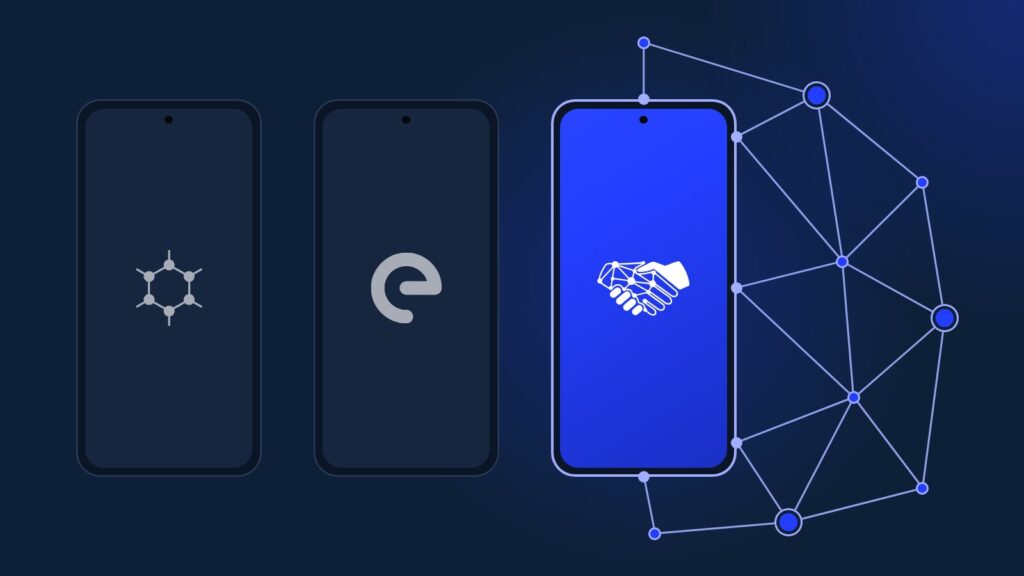
Almost every smartphone asks you to sign in with Google or Apple. A privacy phone works without. But privacy phones differ from one another. Here you can read which ones there are, what to look for when you choose and what makes the OwnPhone from YourData Network different. The OwnPhone gives you full control over your data: only you decide who can access it. And that goes beyond the phone itself: with the decentralised internet you no longer need big tech companies or other third parties for your cloud storage. In the near future the same will apply to your communication.
Why do people choose a privacy phone?
Do you have to sign in with Google or Apple?
Almost every smartphone runs software from Google or Apple. An Android phone uses Google services, an iPhone uses Apple’s. When you set up a new phone, you are asked to sign in with a Google account or an Apple account.
It is not mandatory: you can skip that step. But without an account you cannot download apps from the Play Store or the App Store. You also need an account to back up your photos to the cloud. That is why almost everyone signs in anyway.
What happens when you sign in?
From that moment on, almost everything you do on your phone is linked to your account: which apps you use, what you search for, where you are, who you are in touch with and so on. This builds a digital profile of you. You have no insight into or say over what happens to that profile and who it is shared with.
Even if you do not sign in, your phone collects data. Researchers at Trinity College Dublin found in 2021 that Android phones and iPhones send data to Google and Apple every 4.5 minutes on average, even when the phone is idle.
Are you already using the cloud without knowing it?
Many people think they do not use a cloud. But when you buy a new phone and sign in with the same account, your apps and contacts reappear straight away. So they were in the cloud of Google or Apple all along.
Does this sound familiar? You signed in because it is convenient: your photos, calendar and apps work together nicely. But in the meantime you share your entire digital life, without knowing exactly who can access it and what happens to it.
What is a privacy phone?
A privacy phone is made for people who want to decide for themselves what their phone shares. It is a smartphone without the services of Google or Apple. You do not need an account. What you do is therefore not linked to you as a person, so no digital profile of you is built.
Which privacy phones are there?
These are the three you will come across most often:
- A Google Pixel with GrapheneOS. GrapheneOS is an operating system known for its strong security. At the moment it only runs on Google’s Pixel phones. According to its developers, Motorola phones will follow from 2027.
- A phone with /e/OS. /e/OS is a version of Android with Google removed. It runs on devices from various brands, for example the Fairphone.
- The OwnPhone from YourData Network. It runs YOS, our own operating system. YOS is derived from Volla OS, a version of Android without Google services. Device and software come from a single German manufacturer and the phone is assembled in Germany. The phone is prepared to make the most of the decentralised internet.
All three work without Google services and without a Google account. You choose which apps you install. That is where the similarities end.
What should you look for when choosing a privacy phone?
Six questions help you choose:
- How easy is the phone to use?
- What can you do with it and what not?
- How well is your data protected?
- Are you on your own or do you get help?
- How good is the device itself?
- How dependent do you remain on big tech companies?
Below you can read, question by question, what the three phones have in common and where they differ.
How easy is the phone to use?
You notice how easy a privacy phone is at two moments: when you set it up and in everyday use.
- GrapheneOS you install yourself on a Pixel, using a computer, or you buy a Pixel on which a seller has already installed it. If you install it yourself, you open a security lock on the phone, install GrapheneOS and close the lock again. This wipes everything on the phone. After that the phone works the way you know from Android, but you have to arrange more yourself for your apps. GrapheneOS does not come with popular apps. If you want your banking app, for example, you first install the Play Store yourself and sign in with a Google account, or you install a different app store yourself. Whether your banking app then works depends on the bank.
- /e/OS usually comes preinstalled. It works largely like Android. Only the home screen resembles an iPhone: all your apps are directly on the screens, without a separate list of all apps. If you do not like that, you choose a different home screen.
- The OwnPhone runs YOS, our own operating system, derived from Volla OS. When you set it up, you choose how you want to use it:
- The way you are used to. With the standard Android home screen, the OwnPhone works like any Android phone, which in turn closely resembles an iPhone.
- Distraction-free. This interface was designed by the makers of the operating system. The idea: a phone that helps you without constantly distracting you. The screen is a calm black and white, without bright colours and other stimuli competing for your attention. You start on the so-called Springboard. There you type what you want to do, for example the name of someone you want to call or a word you want to look up. The phone immediately suggests what you can do. The quick menu at the bottom opens the apps you use most.
The distraction-free interface takes a little getting used to at first. Many of our users would not want anything else now. The choice is yours.
What can you do with it and what not?
On all three you can use almost all popular apps. The differences lie in how you install them, how easy that is and which apps do or do not work. Many apps rely on Google services, for example for notifications. GrapheneOS solves this with Google’s real services, sandboxed as an ordinary app. /e/OS and the OwnPhone use microG, an open source replacement, so no Google software runs on your phone. Most apps work with it. The odd app that needs specific Google features does not.
This is how you install your apps:
- On GrapheneOS only its own app store is on the phone: the GrapheneOS App Store. It mainly contains GrapheneOS’s own apps. For popular apps, such as your bank’s, you use that app store to install Google’s Play Store on your phone as a sandboxed app. To install apps from the Play Store, you sign in with a Google account. If you do not want that, you install Aurora Store yourself, an app store that lets you get apps from the Play Store without your own Google account. Banking apps are a known problem on GrapheneOS: some banks only let their app work on a phone that Google has approved. Whether your banking app works depends on the bank and can change after an update.
- On /e/OS you get apps from App Lounge, the /e/OS app store. It fetches apps from the Play Store without you having to sign in. It also offers open source apps. Most apps work. The odd app that demands a strict check by Google, such as some banking apps, does not.
- On the OwnPhone Aurora Store comes preinstalled. It lets you get apps from the Play Store without your own Google account: Aurora Store signs in with a shared account used by many users together. That way what you download is not linked to you. F-Droid is also preinstalled, an app store with free open source apps. If Aurora Store says an app is not available, you let the phone present itself as a different device in the settings. After that you can install the app. Watch how that works in 2.5 minutes (Dutch spoken, English subtitles).
On the OwnPhone almost all apps work: banking apps such as those of ING and other Dutch banks, authenticators, messaging apps such as Signal and even WhatsApp, social media and weather apps. The Dutch DigiD app works too, including the ID check in which you hold your passport or identity card against the phone. Not sure about an app you use every day? Send a message to hello@yourdata.network and we will check it for you.
How well is your data protected?
All three check at start-up that nobody has tampered with the software. All three store the keys that encrypt your data in a protected part of the phone. On all three you decide per app whether it may access your location, camera, microphone, contacts or photos. That can also be ‘only this time’, or you share only the photos you choose. The difference lies in what else is included and how often updates arrive.
- GrapheneOS is regarded by security experts as the most heavily secured operating system for phones. It is built to withstand targeted attacks too and receives frequent updates. You can also set per app whether it may use the internet and sensors. You can let an app see only the contacts you choose. And you can have the phone restart automatically after a period without unlocking, for example 18 hours. After that everything is fully encrypted again, which makes a stolen phone harder to read.
- /e/OS follows Android’s security updates. How quickly they reach your phone varies by device. /e/OS also has a privacy feature that blocks trackers in apps. You can use it to hide your location and your IP address too.
- The OwnPhone works without Google services and without an account. By default no software runs that sends data to big tech companies. The phone does not send YourData Network or the manufacturer any data about what you do. With the security mode you decide which apps may access the internet and you block known addresses of trackers and malware. You can also lock apps behind a password, for example on your child’s phone. Aurora Store shows which trackers each app contains before you install it. Your data is double encrypted on the phone. If someone connects the phone to a computer, they cannot reach your data without your permission. In practice you receive Android’s security updates every quarter. Because the manufacturer makes the device itself, you also receive updates for the firmware, the modem and the drivers from the chip supplier. You can check which updates have been released in the public release notes of Volla OS. Devices from 2022 still receive the latest version of the operating system.
Are you on your own or do you get help?
Setting up a new phone takes time and not everyone dares to do it alone.
- With GrapheneOS and /e/OS it depends on where you buy the phone. Some sellers help you with the setup. Otherwise you work it out yourself, for example on a forum.
- With the OwnPhone you are not on your own. You get a printed and an online manual and explainer videos. Our forum has instructions. After your order you receive emails that help you step by step. If you want personal help, you can choose Startklaar OwnPhone (currently in Dutch): in a single video call of 60 to 90 minutes we transfer your contacts, photos and apps and set up the phone together with you. If you have questions, our support team helps you by email or phone.
How good is the device itself?
All three are fully fledged smartphones. What makes them good differs:
- A Pixel has Google’s latest chip, is known for its camera and receives seven years of updates.
- A Fairphone is made to last. You can easily repair a Fairphone yourself and the device receives updates until 2033. Camera and speed are mid-range.
- The OwnPhone has a fast processor (MediaTek Dimensity 7050) with 8 GB of memory and a large 6.78-inch AMOLED screen that refreshes 120 times per second. On the back there are three cameras, with a 50-megapixel main camera. Storage is 256 GB, expandable with a memory card. The battery is 4700 mAh. The device is water and dust resistant (IP68) and has 5G, a headphone jack and room for two SIM cards. The OwnPhone is assembled in Germany. All details are on the product page.
How dependent do you remain on big tech companies?
A privacy phone comes without Google services. Still, a dependency can remain: in the device or in the place where your data is stored.
- GrapheneOS currently only runs on Pixel phones. So for the device you depend on Google. According to its developers, you will also be able to choose a Motorola phone from 2027. If you want popular apps from the Play Store, you also need Google’s Play Store and a Google account, or you install Aurora Store yourself.
- /e/OS comes preinstalled on, among others, the Fairphone, refurbished Pixels from Google and devices from other brands. If you choose a Pixel, you still depend on Google for the device.
- The OwnPhone runs on open source Android, without Google apps, services or cloud. The device does not come from a big tech company either: it comes from a German manufacturer and is assembled in Germany. You get apps from the Play Store via Aurora Store. If you turn on microG, notifications from apps such as WhatsApp arrive via a Google service, just as with /e/OS, but without being linked to your account. Nextcloud is preinstalled, but you are not tied to us: you take a subscription with us or with another provider, or you run Nextcloud on your own server. If you do not want a cloud, you keep everything on the phone itself. The biggest difference lies in where your data is stored: the OwnPhone is made to make the most of the decentralised internet. Below you can read what that means for you.
What makes the OwnPhone different: you stay in control of your data
On an ordinary phone your photos, contacts and calendar are stored in the cloud of the company behind your account. Other privacy phones shield your phone from what happens on the internet. But being safe is more than a well-secured device. It is also about your data remaining yours. And about that being easy, without you having to figure out a lot. As long as your data is stored with another company, it is not really yours. Not even if that company is European.
The starting point of the OwnPhone is that you own your data. That is why the device sits entirely outside the ecosystem of big tech companies: no Google services, no account and a device from a German manufacturer. We complete that with the decentralised internet. For your cloud storage that is possible today: you run Nextcloud on the decentralised internet and no longer need big tech infrastructure for it. For communication it is coming: with Mycelium you will soon also be able to communicate without a third party in between. Privacy is then not an extra layer but the result. You decide where your data is stored and who can access it. The technology of the decentralised internet makes that possible.
What is the decentralised internet?
The internet as we use it today runs largely in the data centres of a handful of big tech companies.
The decentralised internet works differently. It has no central owner. It consists of computers, called nodes, in people’s homes and at companies. Together they form one encrypted network that already runs in 35 countries.
Anyone can help build this network. That way it gradually comes into the hands of its users. There are two ways to take part:
- With your own node. You place a node at home or in your office. You add capacity to the network and run your own applications on your own hardware.
- By using the network. You run an application such as Nextcloud on existing capacity and store your data in it. You are helping to build the network then too, because every user makes it stronger.
Is that safe?
Yes. Your data is stored in your own environment and travels across the network encrypted. The owner of the node has no access to your environment. You decide who may access it.
What can you do with it on the OwnPhone?
Two examples:
- Your own private cloud. Nextcloud comes preinstalled on the OwnPhone. With your own private cloud you store your photos, contacts, calendar and files on the decentralised internet. Your phone keeps your photos, contacts and calendar up to date in your private cloud. The OwnPhone connects to your own Nextcloud and the rest of your own digital workplace. Once you set up the backup, the phone backs up your apps every day. If you lose your phone, you restore that backup on a new phone and everything is back.
- Communicating without a third party in between. Mycelium is an encrypted network without a central point. It will soon let you communicate directly and securely, for example by messaging, without a third party in between. For now you switch Mycelium on yourself as an app. With an upcoming update it will be built into the phone.
The three side by side
| OwnPhone | Pixel with GrapheneOS | Phone with /e/OS | |
|---|---|---|---|
| Ease of use | Ready to use; choose between the standard or the distraction-free interface | Install yourself or have it installed | Available preinstalled |
| Apps | Aurora Store and F-Droid, without your own Google account | GrapheneOS App Store; Play Store with a Google account | App Lounge, without signing in |
| Protection | Update every quarter, security mode | Most heavily secured, frequent updates, extra settings per app | Blocks trackers; update speed varies |
| Help | Manuals, forum, Startklaar and our support team | With some sellers | With some sellers |
| Device | From a German manufacturer, assembled in Germany | Google Pixel | Fairphone, refurbished Google Pixels or other brands such as Samsung |
| Decentralised internet | Made to use it: Nextcloud preinstalled, Mycelium coming | Not built in | Not built in |
| Own private cloud | As an option on the decentralised internet | Arrange it yourself | Arrange it yourself |
In short: what makes the OwnPhone different?
No privacy phone comes with Google services by default. The OwnPhone goes further: the phone is made for the decentralised internet, so you decide who your data is shared with. Or not. On top of that the OwnPhone works straight away, almost all your apps run without your own Google account and you are not on your own. That keeps you in control of your digital life, also beyond your phone.
That is why people choose the OwnPhone:
- Ready to use straight away, with the interface you choose: the way you are used to or distraction-free.
- Almost all your apps work, including your banking app and DigiD, without an account.
- You are not on your own: with manuals, Startklaar and our support team.
- Made for the decentralised internet: your own cloud works today, communication via Mycelium is coming.
- The device comes from a German manufacturer and is assembled in Germany.
Want to know more about the phone itself? You will find all the details on the product page. Want to know whether the OwnPhone suits you? Email us at hello@yourdata.network and we will think along with you.